Best Gaming Keyboards in 2026: Mechanical vs Membrane and Top Picks
Your keyboard is the one part of your setup you touch with every single action you make in a game. It decides how fast your inputs register, how comfortable long ranked sessions feel, and whether your desk looks like a cockpit or a crime scene. Yet most players still game on whatever flat, mushy board came free with their PC. If you are ready to upgrade, this guide to the best gaming keyboards in 2026 breaks down the mechanical vs membrane debate, the switch types that actually matter, and our top picks for every budget and play style.
Mechanical vs Membrane: What Is the Real Difference?
The biggest decision you will make is the technology under the keycaps. Everything else — size, lighting, price — comes after this choice.
How Membrane Keyboards Work
A membrane keyboard presses a rubber dome down onto a circuit layer to register a keystroke. The keys feel soft and slightly spongy, the board is quiet, and manufacturing is cheap, which is why membrane boards often cost under $30. The downsides for gaming are real: slower and less consistent actuation, mushy feedback that makes rapid repeated inputs harder, and a shorter lifespan of around five million keystrokes per key. For casual play and office work they are fine. For competitive gaming, they are a compromise.
How Mechanical Keyboards Work
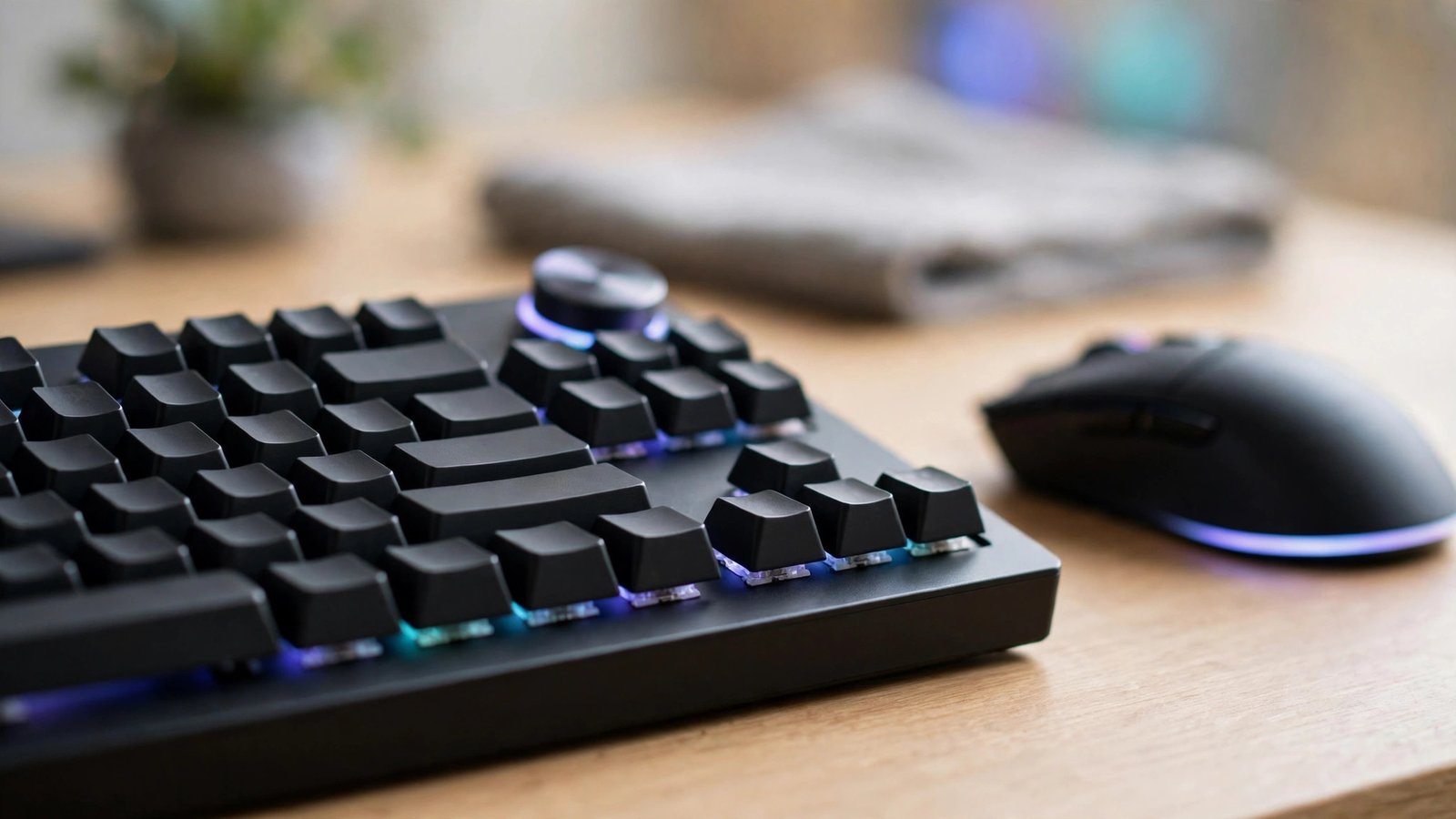
A mechanical keyboard gives every key its own physical switch with a spring and metal contacts. The result is precise, tactile feedback, faster and more reliable actuation, and durability rated at 50 to 100 million keystrokes. Mechanical boards are also repairable and customizable — you can swap switches and keycaps instead of replacing the whole keyboard. The trade-offs are price and noise, although modern gasket-mounted designs are far quieter than the clacky boards of a decade ago.
Optical and Hall Effect Switches: The New Contenders
Two newer technologies deserve your attention in 2026. Optical switches use a beam of light to register a press, which removes mechanical contact and debounce delay. Hall effect switches use magnets, and their headline feature is rapid trigger: the key resets the instant you start releasing it, rather than at a fixed point. For fast-paced shooters where strafing and counter-strafing decide gunfights, rapid trigger is a genuine competitive advantage, not marketing fluff.
Switch Types Explained: Linear, Tactile, and Clicky
Once you go mechanical, you choose a switch feel. Linear switches travel smoothly from top to bottom with no bump, and they are the most popular choice for gaming because repeated presses feel effortless. Tactile switches add a small bump you can feel at the actuation point, which many players love for typing accuracy and MOBAs. Clicky switches add an audible click to that bump — satisfying for you, less so for anyone on your voice chat or in the next room. If you are unsure, start with linear switches in the 45–55g actuation range; they suit the widest range of games.
Choosing the Right Size: Full-Size, TKL, or 60%
Size affects your mouse space more than anything else. A full-size board includes a number pad, which is handy for productivity and some simulation games but eats desk space. Tenkeyless (TKL) boards drop the numpad and are the sweet spot for most gamers — you keep the arrow keys and function row while gaining real mouse room. A 60% board removes even the arrows and function row, putting them on a function layer; it looks clean and frees maximum space, but the learning curve frustrates some players. In 2026, 75% layouts have also become a favourite middle ground, packing arrow keys into a compact frame. For pure gaming, TKL or 75% is where we would spend our money.
Features That Matter (and Features That Don’t)
Worth Paying For
Prioritise these: a polling rate of 1000Hz or higher for minimal input delay, per-key RGB only if you actually use lighting profiles, PBT keycaps that resist shine and wear far better than cheap ABS, a detachable USB-C cable for easy replacement, and onboard memory so your macros and settings travel between PCs. Wired connections still offer the most consistent latency, but modern 2.4GHz wireless boards have closed the gap to the point where most players cannot feel a difference.
Safe to Skip
Small LCD screens, gimmicky macro wheels you will never program, and bundled wrist rests made of cheap foam rarely justify a price jump. Likewise, paying extra purely for a famous logo instead of better switches or build quality is the most common mistake we see buyers make.
Our Top Picks: Best Gaming Keyboards in 2026
Best Overall: 75% Gasket-Mounted Mechanical
For most players, a well-built 75% gasket-mounted keyboard with factory-lubed linear switches is the sweet spot of price, sound, and feel. Boards in the $80–$120 range now offer tri-mode connectivity, hot-swappable switches, and a soft, deep typing sound that older gaming boards never achieved. If you buy one keyboard this year, buy this type.
Best for Competitive FPS: Hall Effect Rapid Trigger
Serious Valorant and Counter-Strike 2 players should look at Hall effect boards with rapid trigger and adjustable actuation. The ability to set actuation as low as 0.1mm and have keys reset instantly genuinely sharpens movement. Expect to pay $130–$180 for a quality model from a reputable brand, and make sure the software lets you tune per-key settings without an account or forced updates.
Best Budget Pick: Hot-Swappable Mechanical Under $50
The budget end of the market has improved dramatically. Sub-$50 mechanical keyboards with hot-swap sockets, decent stock switches, and PBT keycaps now exist from several brands, and they embarrass membrane boards at the same price. You give up wireless and some build refinement, but the core typing and gaming experience is 90% of what expensive boards deliver.
Best Wireless: Low-Latency 2.4GHz TKL
Clean-desk players should choose a TKL board with a proper 2.4GHz dongle (not Bluetooth alone) and a battery rated for at least a week of heavy use. Expect $100–$160. Check that the board still hits 1000Hz polling over wireless — some cheaper models quietly drop to 250Hz, which adds noticeable delay.
Best Membrane Pick (If You Insist)
If your budget is truly tight or you need near-silent keys for shared spaces, a decent membrane gaming board around $25–$35 with anti-ghosting on the main gaming cluster is acceptable for casual play. Just know you will likely upgrade within a year once you try a mechanical board — almost everyone does.
How to Choose the Best Gaming Keyboard for You
Work through four questions. First, what do you play? Competitive FPS players benefit from Hall effect rapid trigger; everyone else is happy with standard mechanical. Second, how much desk space do you have? Low-sensitivity FPS players need TKL or smaller. Third, do you type a lot? Writers and students may prefer tactile switches. Fourth, what is your honest budget? The jump from $30 to $80 is huge; the jump from $80 to $180 is refinement, not transformation. Answer those, and the right board picks itself.
Frequently Asked Questions
Are mechanical keyboards really better for gaming?
Yes, for most players. Mechanical switches actuate faster and more consistently, last far longer, and give clearer feedback than membrane domes. The difference is most noticeable in fast games with rapid repeated inputs, though casual players may be perfectly happy with a good membrane board.
What switch type is best for gaming?
Linear switches are the most popular choice because their smooth, uninterrupted travel makes repeated presses fast and effortless. Tactile switches suit players who also type a lot, while clicky switches are best avoided if you use voice chat or share a room.
How much should I spend on a gaming keyboard?
Around $50–$100 buys an excellent mechanical keyboard in 2026 with hot-swappable switches and PBT keycaps. Spending more gets you wireless, aluminium cases, Hall effect rapid trigger, and better stock sound and feel — nice upgrades, but not essential for performance.
Do I need a high polling rate on a keyboard?
A 1000Hz polling rate is the standard you should expect, and it is more than fast enough for almost everyone. Higher rates like 8000Hz exist on premium boards, but the real-world difference is tiny compared with switch type and your own reaction time.
Conclusion
The best gaming keyboards in 2026 share a few things: mechanical (or Hall effect) switches matched to your games, a size that leaves room for your mouse, and honest build quality over gimmicks. Decide mechanical vs membrane first, pick linear switches if you are unsure, choose TKL or 75% for the layout, and spend where it counts. Your hands will thank you every single match.