How to Choose a Gaming Mouse: DPI, Grip Styles and Top Picks for 2026
Your mouse is the one piece of gear your hand touches for every single second you play. Your keyboard matters, your monitor matters, but the mouse is the direct link between your brain and the game. A mouse that is too heavy, too big, or too slippery will hold your aim back no matter how much you practise — and a mouse that fits your hand and your games can make everything feel easier overnight. The good news is that choosing the right gaming mouse is not about buying the most expensive one. It is about understanding a few simple things: DPI, the sensor, your grip style, and weight.
This guide explains all of them in plain language, with no jargon you need a degree to understand. By the end, you will know exactly what to look for, what to ignore, and which mice are worth your money in 2026.
Why Your Mouse Matters More Than You Think
Most players upgrade their graphics card or monitor first and keep the same cheap bundled mouse for years. That is backwards. A better mouse does not make you a better player on its own, but a bad mouse makes it harder to be consistent. If your cursor skips, your clicks feel mushy, or your hand cramps after an hour, you are fighting your hardware instead of your opponents.
Professional players take their mice very seriously for a reason. They use the same mouse for months or years, and many of them travel with it to tournaments rather than using the one provided. Consistency is everything in competitive gaming, and your mouse is the foundation of that consistency.
DPI Explained: What the Numbers Actually Mean
DPI stands for dots per inch, and it measures how far your cursor moves on screen for every inch you move your mouse. A mouse set to 800 DPI moves the cursor 800 pixels for one inch of hand movement. At 1600 DPI, the same inch moves the cursor 1600 pixels. Higher DPI means faster, more sensitive movement.
Here is the truth most marketing hides from you: a mouse advertising 20,000 or 30,000 DPI is not better than one with 8,000 DPI. Almost nobody plays at more than 1600 DPI, and most competitive players use 400 to 800 DPI. The huge numbers on the box are a marketing game, not a real advantage.
What DPI should you actually use?
Start at 800 DPI and set your in-game sensitivity so that a full sweep of your mousepad turns your character about 180 degrees. That is a sensible middle ground for most games. If you play tactical shooters like Valorant or Counter-Strike 2, you may prefer 400 DPI for extra precision. If you play fast games like Apex Legends or Fortnite, 800 to 1600 DPI can feel better because you need to turn quickly.
What matters far more than the number is your effective DPI — your mouse DPI multiplied by your in-game sensitivity. Keep that number steady. Changing DPI every week destroys the muscle memory you are building, so pick a setting, give it at least two weeks, and only change it in small steps. For a deeper look at how sensitivity and practice work together, read our guide on how to improve your aim in FPS games, where DPI and sensitivity are explained with drills you can use straight away.
Optical vs Laser Sensors: Which One to Choose
The sensor is the eye of your mouse. It takes thousands of photos of your desk surface every second and works out how far and how fast the mouse has moved. Two types exist, and one is clearly better for gaming.
Optical sensors use an LED light and are the standard in every serious gaming mouse today. They are extremely accurate on cloth mousepads, have no acceleration problems, and track perfectly even during fast flicks. Laser sensors were popular years ago because they worked on more surfaces, including glass, but they suffer from acceleration — the same hand movement travels a different distance depending on how fast you move — which ruins muscle memory. For gaming, optical is the right choice, every time.
Within optical sensors, look for a modern flagship sensor such as the PixArt 3395, 3950, or 3389, or a manufacturer’s own top sensor such as Logitech’s HERO 2 or Razer’s Focus Pro. These sensors track flawlessly at high speeds, with no smoothing, no jitter, and no spin-outs during fast flicks. You do not need to memorise sensor names, though — any mouse from a reputable brand released in the last two years will have a sensor good enough for competitive play.
Grip Styles: Palm, Claw, and Fingertip
Grip style is the most personal part of choosing a mouse, and it is the part most buyers ignore. There are three main grips, and the right mouse shape depends on which one you use.
Palm grip
Your whole hand rests on the mouse, with your palm flat against the back and your fingers lying along the buttons. Palm grippers need a larger, taller mouse with a long body that supports the full hand. If your hand is large, look for mice over 120 mm long. Palm grip is comfortable for long sessions and works well for players who aim mostly with their arm.
Claw grip
Your palm rests on the back of the mouse, but your fingers arch up like a claw, with only your fingertips touching the buttons. Claw grippers need a medium-sized mouse with a raised hump in the middle to support the arched fingers. This is the most common grip among competitive players because it gives a good balance of control and speed, and it works well for fast flicks.
Fingertip grip
Only your fingertips touch the mouse — your palm does not touch it at all. Fingertip grippers need a small, light mouse, usually under 60 grams, because the mouse is controlled entirely by the fingers. This grip gives the finest control for small, precise movements, but it can be tiring over long sessions and suits smaller hands best.
To find your grip, hold your current mouse naturally and look at your hand. If your palm is flat on the mouse, you are a palm gripper. If your fingers are arched, you are a claw gripper. If your palm floats above the mouse, you are a fingertip gripper. Then check the size and shape of any mouse you are considering against that grip — a great mouse in the wrong shape will always feel wrong.
Weight: Why Lighter Is Usually Better
A few years ago, gaming mice weighed 100 grams or more, and some even came with removable weights to make them heavier. That trend has completely reversed. Today, the best competitive mice weigh between 45 and 65 grams, and many professional players will not use anything over 70 grams.
Lighter mice are easier to start and stop quickly, which means faster flicks and less fatigue over long sessions. The difference between a 95-gram mouse and a 55-gram mouse is obvious the moment you try both — the lighter mouse feels like it floats. Heavy mice are not useless, though. Some players with a palm grip and a large hand prefer a little weight for stability, and MMO players who rest their hand on the mouse for hours may find a heavier mouse more comfortable. As a rule, though, if you play shooters, go light.
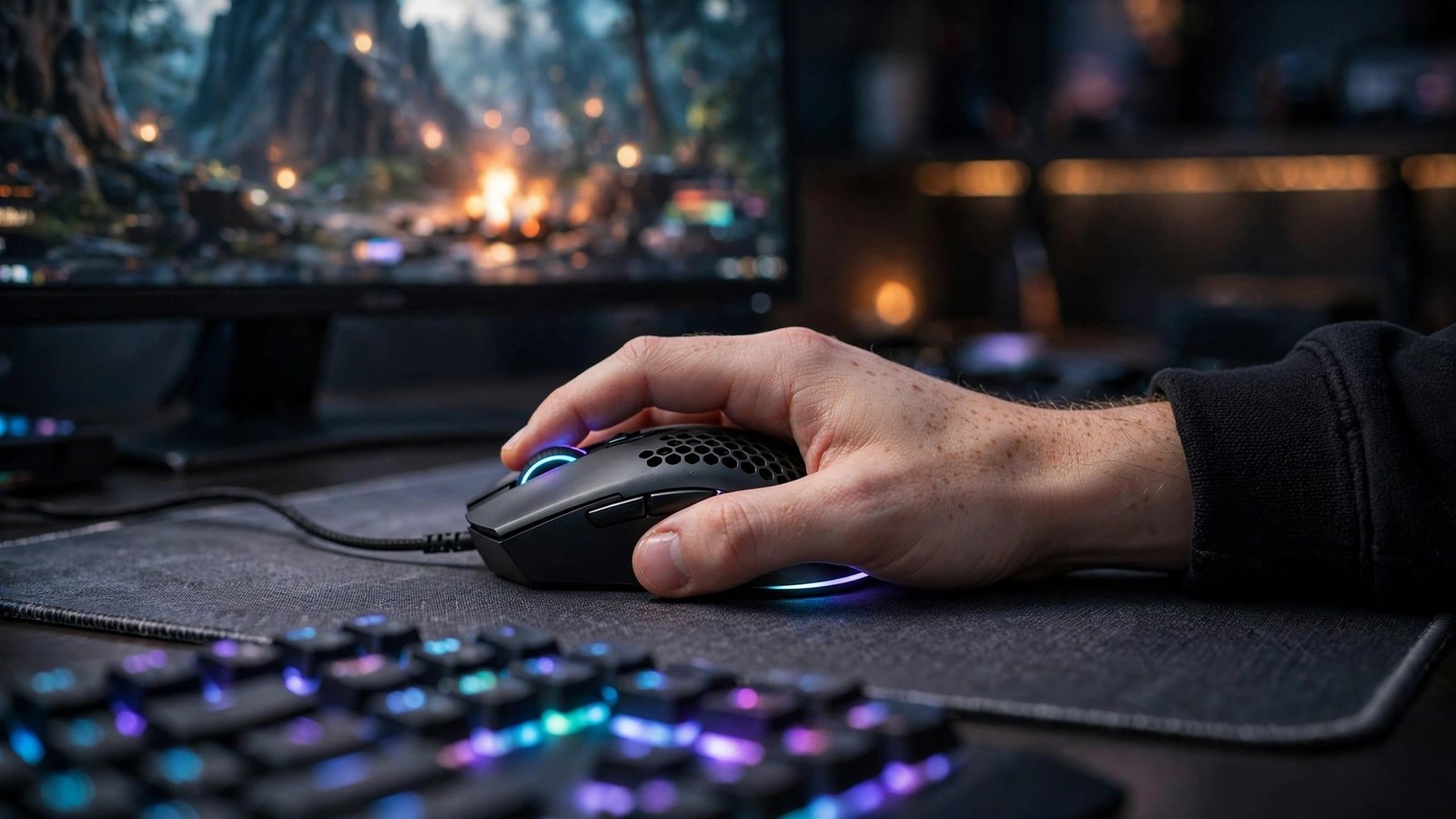
Be careful with mice that are light because they have holes drilled in the shell. They are lighter, but dust and sweat get inside, and some players find the holes uncomfortable. Modern mice achieve low weight with solid shells and better internal design, so you no longer need a honeycomb shell to get a light mouse.
Wired vs Wireless: The Old Debate Is Over
Wireless gaming mice used to be slower than wired ones, with noticeable delay and a battery that died mid-match. That is no longer true. Modern wireless mice from major brands have the same latency as wired mice — often under one millisecond — and batteries that last 70 to 180 hours on a single charge.
Wireless is now the better choice for most players. It removes cable drag, which is a real problem: a stiff cable tugging at your mouse during a flick can throw your aim off. If you do choose a wired mouse, use a mouse bungee or route the cable so it never pulls, and pick a mouse with a flexible paracord-style cable rather than a stiff rubber one.
The only real downside of wireless is price and the need to charge it. If your budget is tight, a good wired mouse gives you the same sensor and switches for much less money. If you can afford wireless, it is worth it — just remember to keep it charged before ranked sessions.
Polling Rate and Switches: The Details That Add Up
Polling rate is how often your mouse reports its position to your computer, measured in Hertz. At 1000 Hz, it reports 1000 times per second. Most gaming mice run at 1000 Hz, which is more than enough. Some newer mice offer 4000 Hz or 8000 Hz polling, which feels slightly smoother on high-refresh-rate monitors, but the difference is small and it uses more battery on wireless mice. Do not pay a large premium for 8000 Hz polling unless you play at a very high competitive level.
Switches are the tiny mechanisms under the main click buttons. Most mice use mechanical switches, which give a crisp, satisfying click. Optical switches use a beam of light instead of a metal contact, so they last longer and never develop the double-click problem that kills older mice. Either type is fine — what matters is that the clicks feel firm and consistent, not mushy or loose. If possible, try the mouse in a shop before buying, or buy from a store with a good return policy.
How Much Should You Spend?
You do not need to spend a fortune. A good gaming mouse costs between 30 and 80 dollars in 2026, and the mice in that range have sensors and switches that were flagship quality two years ago. Spending over 100 dollars gets you lighter weight, wireless connectivity, and premium materials, but it does not buy you better aim.
Spend more if you want wireless and the lightest possible weight. Spend less if you are happy with wired and a standard weight. Never buy a mouse purely because a streamer uses it — their hand size, grip, and game are probably different from yours.
Top Picks for 2026
These are the mice that stand out this year across different budgets and grip styles. Prices change, so check current deals before you buy.
Best overall: Logitech G Pro X Superlight 2
The Superlight 2 is the mouse most professional players use, and for good reason. At 60 grams it is light without feeling fragile, the HERO 2 sensor is flawless, and the shape suits claw and fingertip grips perfectly. Wireless performance is identical to wired, and the battery lasts around 95 hours. It is expensive, but it is the safest premium choice you can make.
Best value: Razer DeathAdder V3 HyperSpeed
The DeathAdder shape has been a favourite for over a decade, and the V3 HyperSpeed keeps the comfortable ergonomic shape that palm grippers love while adding a superb Focus Pro sensor and wireless connectivity. At around 55 grams it is far lighter than older DeathAdders, and it costs much less than the flagship mice. If you have a larger hand and a palm grip, start here.
Best budget pick: Logitech G502 HERO
The G502 has been around for years, and it is still one of the best value mice you can buy. It is heavier at 121 grams and it is wired, but the sensor is excellent, the build quality is superb, and it has extra buttons that MMO and productivity players love. For under 40 dollars on sale, nothing else comes close for the money.
Best for small hands: Razer Viper V3 Pro
The Viper V3 Pro is one of the lightest mice ever made at 54 grams, with a low, flat shape that fingertip and claw grippers with smaller hands will love. Its 8000 Hz wireless polling is the fastest available, and the sensor is flawless. It is a specialist mouse rather than an all-rounder, but for its target player it is unbeatable.
Best for MMO and MOBA players: Corsair Scimitar Elite Wireless
If you play World of Warcraft, League of Legends, or any game with dozens of abilities, the Scimitar’s 12-button side panel is a genuine advantage. It is heavier than the FPS mice above, but for MMO players the extra buttons matter more than weight, and the wireless version finally frees you from the cable.
What to Avoid When Buying
A few traps catch new buyers every year. Avoid mice from unknown brands with no reviews — a bad sensor will ruin your aim in ways you cannot fix with settings. Avoid mice with a DPI button you will hit by accident mid-game; if the button sits under your thumb, it will get pressed at the worst moment. Avoid buying a mouse you have never held if your hands are very large or very small — size matters more than brand. And avoid upgrading your mouse every few months. The best mouse is the one you have used long enough to build muscle memory with.
Your mouse also works as part of a setup. A good mousepad matters almost as much as the mouse itself — a worn or dirty pad causes tracking problems no sensor can fix. Pair your new mouse with a clean, large cloth pad, and keep your desk space clear so your arm can move freely. If you are upgrading your whole setup, our guide to the best gaming keyboards covers the other half of your desk, so your keyboard and mouse feel like they belong together.
Frequently Asked Questions
What DPI do most pro gamers use?
Most professional FPS players use between 400 and 800 DPI, with 800 being the most common. They combine it with a low in-game sensitivity to get an effective DPI of roughly 200 to 400. Very high DPI settings make aim twitchy and hard to control, so there is no advantage in using 3200 DPI or more. Pick a DPI in the normal range, set your sensitivity to match, and keep it consistent.
Is a wireless gaming mouse as good as a wired one?
Yes. Modern wireless gaming mice from reputable brands have the same latency as wired mice, usually under one millisecond, and batteries lasting 70 to 180 hours. The old problems of lag and dying batteries are gone. Wireless also removes cable drag, which can genuinely affect your aim. A wired mouse is still a fine choice if your budget is tight, since you get the same sensor for less money.
How do I know which grip style I use?
Hold your mouse the way you naturally play and look at your hand. If your whole palm rests flat on the mouse, you use a palm grip and need a larger mouse. If your palm rests on the back but your fingers arch like a claw, you use a claw grip and need a medium mouse with a raised middle. If only your fingertips touch the mouse and your palm floats, you use a fingertip grip and need a small, light mouse. Match the mouse shape to your grip and it will feel right immediately.
Does a more expensive mouse improve my aim?
Only up to a point. Moving from a cheap office mouse to a proper gaming mouse with a good sensor and the right shape will improve your consistency noticeably. But moving from a 50-dollar gaming mouse to a 150-dollar one will not make you aim better — the sensors are already flawless at that level. Beyond a certain point, you are paying for lighter weight, wireless connectivity, and premium materials, not for better aim. Practice and the right settings matter far more than price.
Conclusion
Choosing a gaming mouse comes down to four things: a DPI setting you can control, a modern optical sensor, a shape that matches your grip style, and a weight that feels effortless. Ignore the marketing numbers, try the mouse in your hand if you can, and pick one that fits your hand and your games — not the one your favourite streamer uses. A good mouse in the 30 to 80 dollar range is all most players need, and once you find the right one, keep it. Change your mouse rarely, practise consistently, and let your muscle memory do the rest. Your aim will thank you.